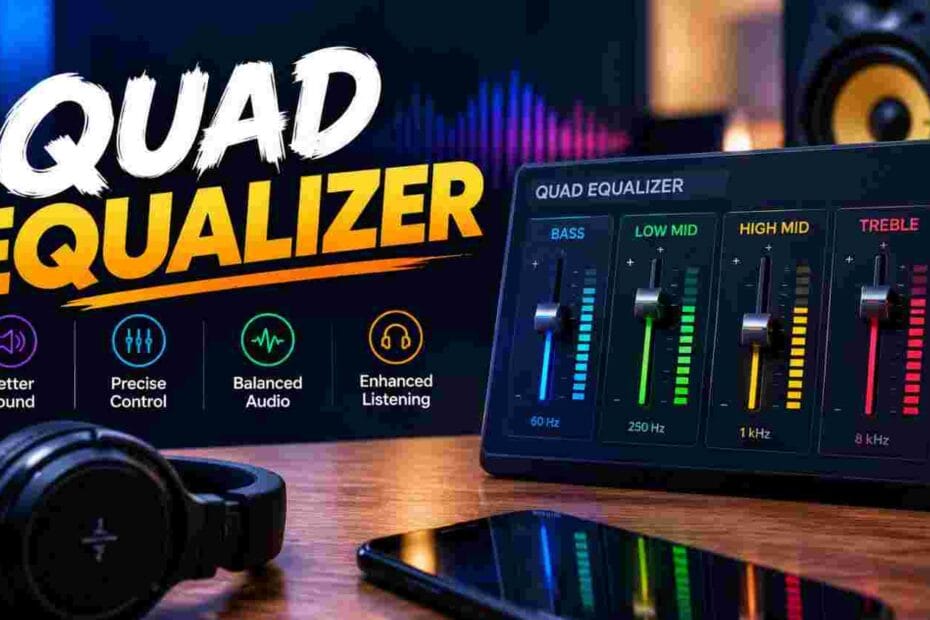
Flat, lifeless audio ruins your listening experience. You crank the volume, but the bass stays muddy and the highs sound harsh. A quad equalizer fixes this problem by giving you direct control over four key frequency bands. Once you dial in the right settings, every song, podcast, and movie scene sounds exactly the way the creator intended.
What Is a Quad Equalizer and How Does It Work?
A quad equalizer is an audio processing tool that splits your sound signal into four separate frequency bands. Each band has its own gain control, letting you boost or cut specific ranges independently.
Think of it as four volume knobs, each responsible for a different slice of the audio spectrum. You adjust the low bass, the lower mids, the upper mids, and the treble without affecting the other ranges.
The signal enters the unit, passes through four bandpass filters, and exits with your custom tonal shape applied. This straightforward design makes the quad equalizer one of the most practical tools for quick, effective sound shaping.
Audio engineers at the have documented how multi-band equalization improves perceived audio clarity across playback systems of all sizes.
Why Do You Need a Quad Equalizer for Better Sound?
Factory audio settings rarely match your room, your car, or your ears. Speakers interact with their environment in unpredictable ways, creating peaks and dips in the frequency response.
A quad equalizer puts you in the driver’s seat. You correct room resonances, tame harsh reflections, and bring out details that were always there but buried under poor tonal balance.
Car audio fans love this device because vehicle cabins create nasty standing waves around 100–250 Hz. A quick cut on the low-mid band cleans up the muddiness instantly.
Home listeners benefit just as much. Bookshelf speakers often lack low-end extension, so a gentle bass boost on your quad equalizer fills in the gap without distortion.
Which Frequency Bands Does a Quad Equalizer Control?
Most four-band equalizer units divide the spectrum into these standard ranges:
- Band 1 – Sub-Bass/Bass (20–200 Hz): Controls rumble, kick drum weight, and bass guitar depth.
- Band 2 – Low-Mid (200–800 Hz): Shapes vocal body, guitar warmth, and the “boxy” character of drums.
- Band 3 – High-Mid (800 Hz–4 kHz): Handles vocal presence, snare crack, and instrument attack.
- Band 4 – Treble/Presence (4–20 kHz): Adds air, cymbal shimmer, and overall brightness.
Each band typically features a center frequency, a bandwidth (Q factor), and a gain knob. On simpler quad equalizer models, the center frequencies are fixed, and you only adjust the gain.
Understanding these four zones helps you make surgical corrections instead of guessing.
How Do You Set Up a Quad Equalizer in Your Car?
Start by mounting the unit within arm’s reach, usually under the dash or in the center console. Connect the RCA outputs from your head unit to the equalizer inputs, then run the equalizer outputs to your amplifier.
Power the device using a fused 12V connection tied to your car’s accessory circuit. Ground it to a clean, bare-metal point on the chassis to avoid alternator whine.
Once wired, set all four bands to flat (0 dB). Play a familiar track and adjust one band at a time. Small moves of 2–3 dB make a bigger difference than you think.
recommends calibrating equalization settings at moderate listening volumes, because human hearing sensitivity shifts at different loudness levels.
How Does a Quad Equalizer Compare to a Graphic Equalizer?
A graphic equalizer offers 10, 15, or even 31 fixed bands, giving you granular control across the entire spectrum. A quad equalizer keeps things simple with only four bands.
Here is a quick breakdown:
| Feature | Quad Equalizer | Graphic Equalizer |
| Number of Bands | 4 | 10–31 |
| Ease of Use | Very simple | Moderate to complex |
| Precision | Broad strokes | Fine detail |
| Best For | Car audio, quick fixes | Studio mixing, live sound |
| Physical Size | Compact | Larger rack-mount units |
| Price Range | 20–80 | 50–500+ |
| Learning Curve | Minutes | Hours to days |
Choose a quad equalizer when you want fast results without a steep learning curve. Pick a graphic equalizer when you need surgical precision across many narrow bands.
Can a Quad Equalizer Improve Home Theater Audio?
Absolutely. Most soundbars and AV receivers include basic tone controls, but they lack the flexibility of a dedicated four-band equalizer.
Place the quad equalizer between your preamp and power amp (or between your streamer and powered speakers). Tame the room modes that cause booming bass in the corners and harsh reflections off hard floors.
A gentle cut at 250 Hz and a slight lift at 4 kHz can make dialogue sound crisp and explosions feel tight. Movie night transforms from “good enough” to genuinely immersive.
What Errors Can You Make When Using a Quad Equalizer?
Even a simple four-band EQ can wreck your sound if you fall into common traps.
- Boosting every band: This raises the noise floor and causes clipping. Cut problem frequencies instead of boosting everything else.
- Ignoring gain staging: If your input signal is already hot, adding EQ gain pushes the chain into distortion.
- Tuning by eye, not by ear: Pretty curves on a screen mean nothing if the result sounds wrong in your space.
- Forgetting the source material: A setting that flatters hip-hop may ruin classical music. Create multiple presets if your unit supports them.
The publishes research confirming that listener preference correlates more strongly with smooth frequency response than with extreme EQ curves.
Which Brands Make the Best Quad Equalizer Units?
Reliable four-band equalization units are produced by a number of manufacturers at various price points:
- Clarion EQS755: A car audio favorite with seven-band flexibility that includes a dedicated four-band mode. Clean signal path and low noise.
- Soundstream E4: Budget-friendly, compact, and dead simple to install. Great entry point for first-timers.
- dbx 231s: A professional-grade unit that offers switchable band configurations, including a quad mode for live sound applications.
- Behringer FBQ800: Though technically a feedback destroyer, its parametric filters function beautifully as a four-band tone shaper.
Read user reviews, check the signal-to-noise ratio, and match the unit to your specific setup before buying.
How Do You Tune a Quad Equalizer for Live Sound?
Live venues throw curveballs at your mix. Concrete walls, low ceilings, and crowd density all shift the room’s frequency response in real time.
Start with a flat quad equalizer and run a reference track through the PA. Look around the room and pay attention to any trouble spots.
- Cut Band 2 (300–500 Hz) if the room sounds “honky.”
- Reduce Band 1 (80–120 Hz) if the bass feels loose on stage.
- Lift Band 3 (2–3 kHz) slightly if vocals get buried during loud passages.
- Roll off Band 4 above 12 kHz if feedback squeals appear.
Make adjustments during soundcheck, not mid-show. Small moves prevent feedback and keep the mix balanced for every seat in the house.
When Should You Upgrade From a Quad Equalizer?
A four-band equalizer handles 80% of everyday tone-shaping tasks. But certain situations demand more precision.
Consider upgrading when:
- You mix music professionally and need to notch out narrow resonances.
- Your room has severe acoustic problems that four broad bands cannot fix.
- You run a complex live rig with multiple monitor mixes.
- You want digital recall, preset storage, and real-time spectrum analysis.
Moving to a parametric equalizer or a digital signal processor (DSP) opens up fully adjustable center frequencies, variable Q, and steeper filter slopes. Your quad equalizer served you well as a learning tool, and the skills you built transfer directly to more advanced gear.
Quad Equalizer Settings by Music Genre
Use this table as a starting template. Fine-tune based on your speakers and room.
| Genre | Band 1 (Bass) | Band 2 (Low-Mid) | Band 3 (High-Mid) | Band 4 (Treble) |
| Hip-Hop / Rap | +5 dB | −1 dB | +2 dB | +1 dB |
| Rock | +2 dB | −2 dB | +3 dB | +2 dB |
| Classical | 0 dB | +1 dB | +1 dB | +2 dB |
| Jazz | +1 dB | +2 dB | +2 dB | +1 dB |
| EDM / Dance | +6 dB | −2 dB | +1 dB | +3 dB |
| Podcast / Voice | −1 dB | +3 dB | +4 dB | 0 dB |
| Country | +1 dB | +1 dB | +2 dB | +1 dB |
| R&B / Soul | +3 dB | +1 dB | +2 dB | +1 dB |
Take Control of Your Sound Today
Your audio system has more potential than you think. A quad equalizer unlocks it in minutes, not hours. Stop settling for muddy bass, harsh vocals, and lifeless highs that came preset from the factory.
Grab a quad equalizer that fits your budget, wire it into your setup this weekend, and spend thirty minutes dialing in your first custom curve. Your ears will thank you every single time you press play.